
The short version
ChatGPT can already show a card about your business when people ask about you, whether or not you've claimed anything. You didn't write a word of it. Mine had another company's photo on it.
On November 10, 2026, OpenAI opened Business Hub, in beta. It's free, and it's how you claim that listing (or create one) and make it right. Agents: your brokerage's office is probably already in there.
Here's the whole thing in five steps:
- See what ChatGPT says about you today.
- Know what you're agreeing to before you type anything.
- Find your listing, or create it.
- Prove it's yours.
- Tell it what you do, then submit.
This is the written version of the video. I claimed Espo.ai for real on November 11, 2026, and I hit three traps along the way so you don't have to. Business Hub is brand new and in beta, so screens will change. Check what yours shows.
One thing up front: claiming doesn't buy you placement. OpenAI's terms promise no visibility, traffic or sales, and neither do I. The point is to make sure ChatGPT gets you right.
Step 1: see what it says today
- Open ChatGPT and start a temporary chat.
- Up top, switch Personalized to Unpersonalized. The menu says the chat will ignore memory, plugins and custom instructions, so it answers more like it would for a stranger.
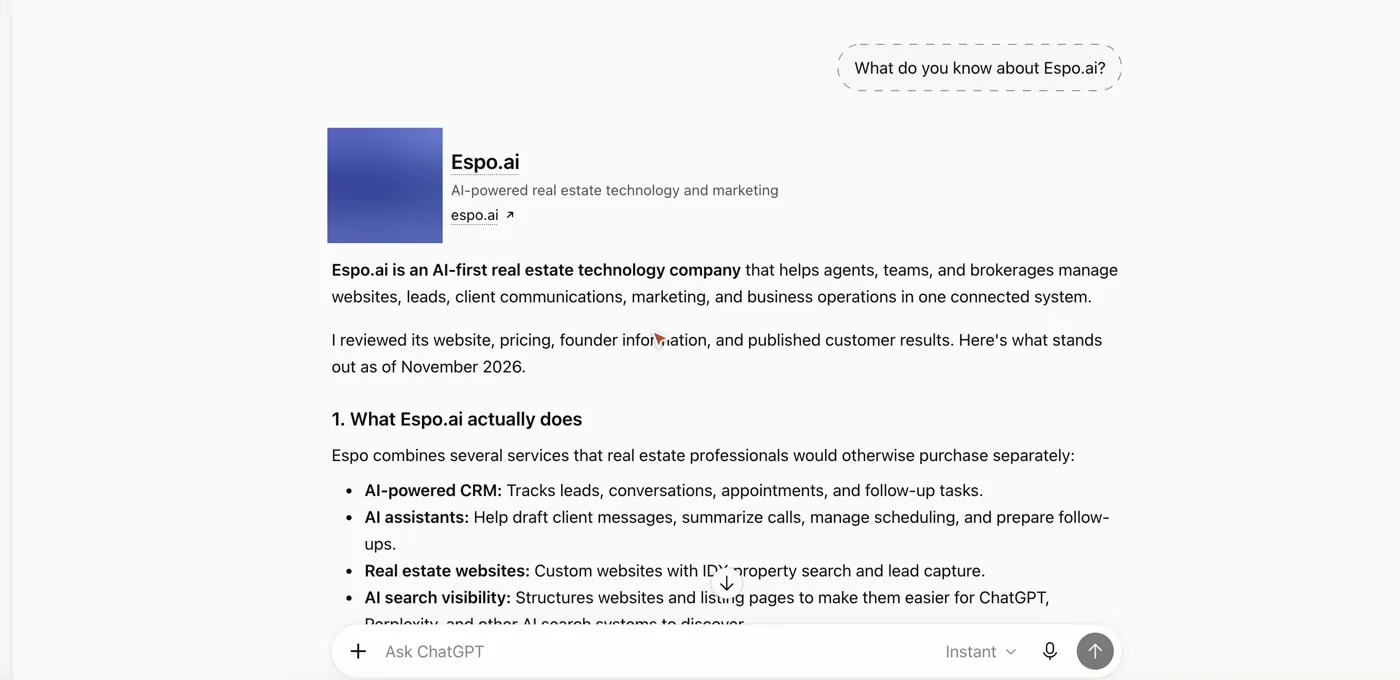
- Ask: "What do you know about [your business name]?"
- Screenshot the answer. That's your before.
Mine got a lot right. But look at the card at the top of the answer: that photo isn't mine. It belongs to another company.
Step 2: know what you're agreeing to
Go to chatgpt.com/business-hub. It wasn't in my sidebar yet, but the address works. Look at the line at the bottom of the page: by continuing, you accept OpenAI's Businesses in ChatGPT Terms. Typing in that search box counts as a yes.
I'm not your lawyer, and this isn't legal advice, so read the Businesses in ChatGPT Terms yourself. Here's what stood out to me:
- It binds your whole company, not just you. You confirm you can agree for the business.
- OpenAI keeps a listing about you either way, whether you claim it or not. Claiming doesn't give you sole control: OpenAI can add to, edit or replace what you submit, and ChatGPT may use other sources too (section 4.1).
- It can phone your business for its users. The terms say ChatGPT's AI assistant may call you on behalf of the people using it. You can opt a number out at realtime.chatgpt.com/stopcalls (section 4.1).
- The big one, section 10: you agree not to sue OpenAI over what's on your website. You and your affiliates promise not to bring claims, and release them, over the data you submit, anything published on websites you own and your other content online. Claims that OpenAI broke these terms are the exception.
There's more in there, so read the whole thing before you type.
If you're at a brokerage, the office listing is your broker's call. Claim your own business, not theirs.
I read them, and I said yes for my company. Here's how.
Step 3: find your listing, or create it
Search your business name.
Brokerages are already in there. A brokerage I work with showed up with its address, and Keller Williams shows up office by office. If your business is listed, that's the one you claim. If it isn't yours, leave it alone.
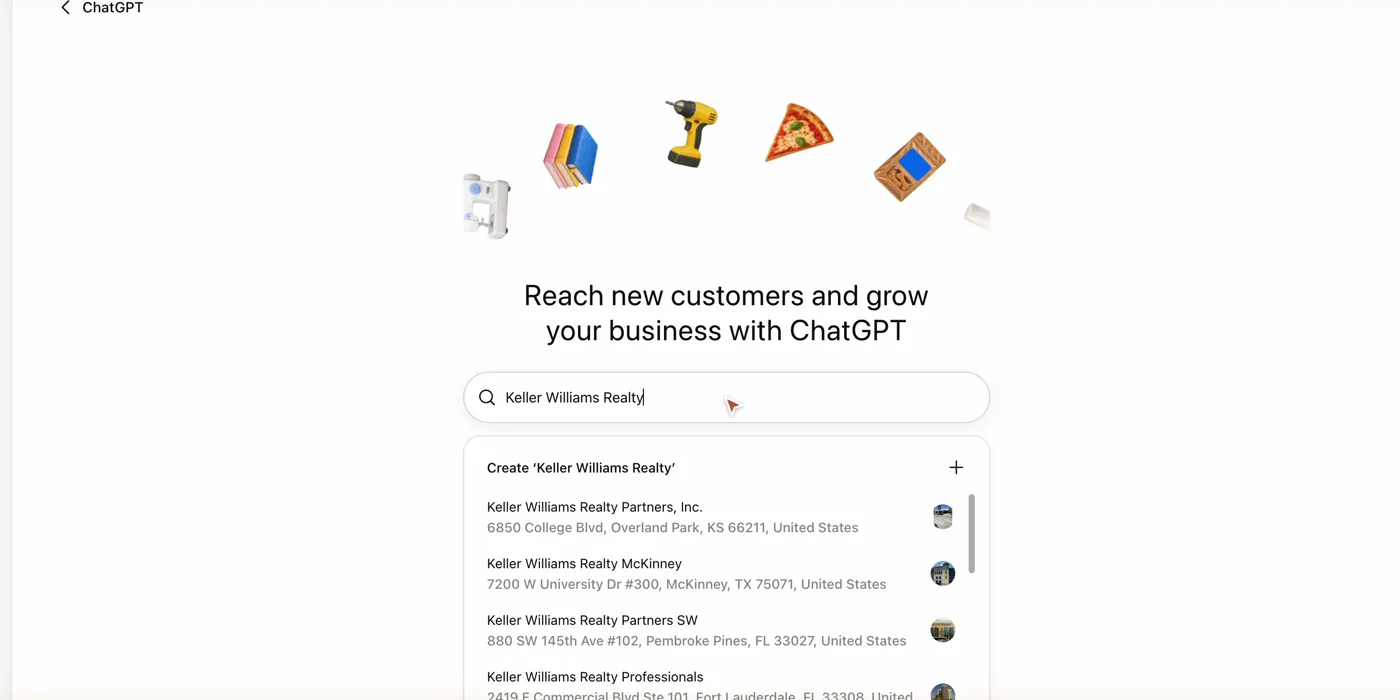
Not there? You'll see Create. Mine wasn't there. Other companies called Espo were, but not Espo.ai, so I clicked Create.
It asks how customers usually interact with you: at a physical location, or through a website. I'm online, so I picked website. Then type your web address.
Step 4: prove it's yours
For a new online business like mine, the only option it offered was a DNS record. Business Hub shows a TXT record: a name and a value, each with a copy button.
- Open wherever your domain lives. Mine's GoDaddy.
- Add a new record: type TXT, paste the name, paste the value, save.
- GoDaddy texted me a code before it saved the change. That's normal.
- Back in Business Hub, click Verify domain.
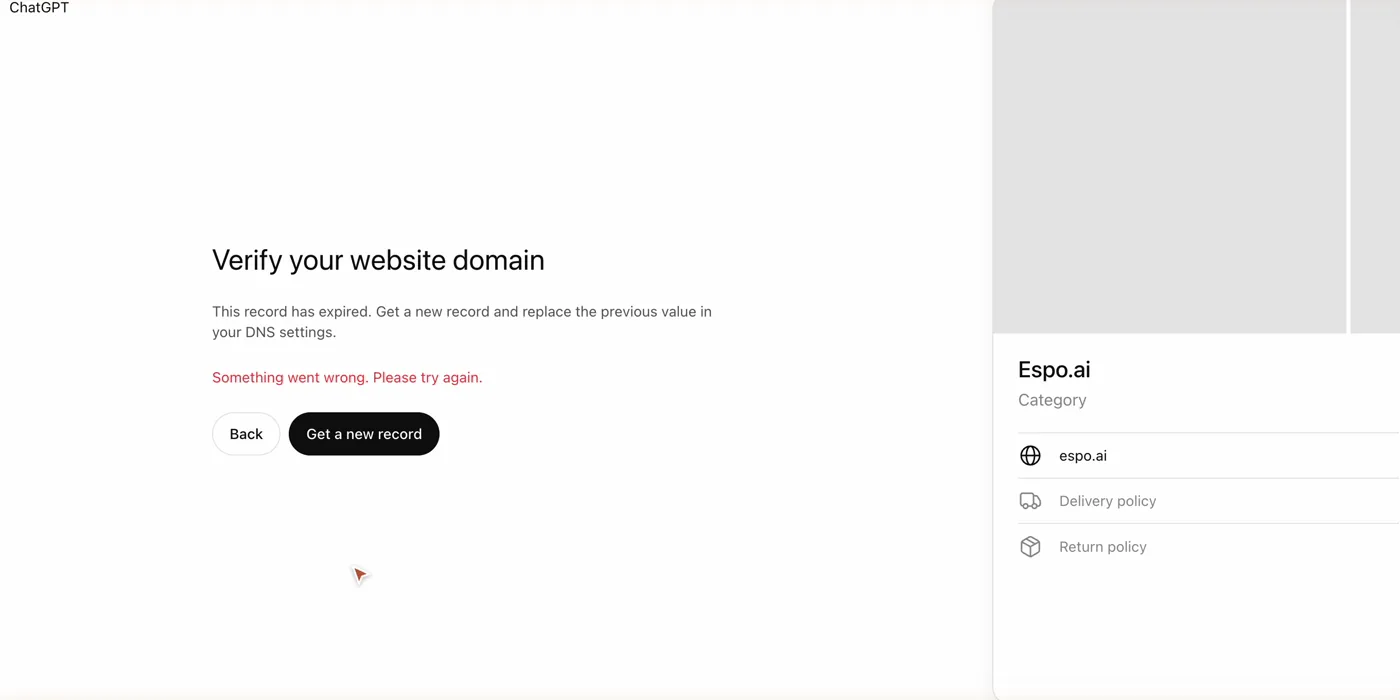
Trap one: the record expires fast, about 30 minutes after you get it. Mine expired before I saved it, and the check failed with "This record has expired." If that happens, click Get a new record and swap the new value into your DNS. Do this whole part in one go.
If it says it hasn't found the record yet, wait a minute and click Check again. One of my domain's servers still had the old value, and it passed on the second try.
Claiming a listing that already exists, like an office? OpenAI's help page lists other ways to verify, including a business phone or email code, so you may see one of those instead. Use whatever it shows you.
Step 5: tell it what you do
Pick your category. Search it. Type "real estate" and you get six: Commercial real estate agency, Real estate agency, Real estate agent, Real estate appraiser, Real estate attorney and Real estate photographer. Pick what you actually are.
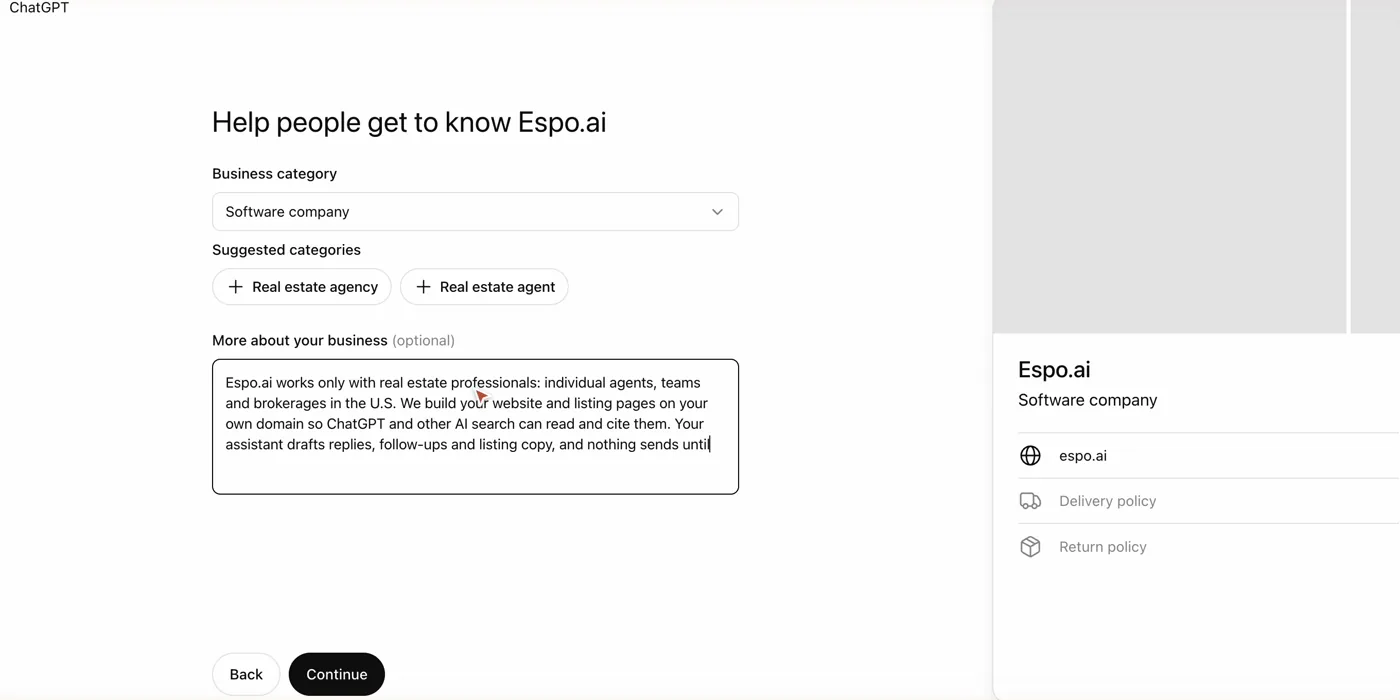
There's no category for what I do, so I picked Software company. It then suggested Real estate agency and Real estate agent. Nope, I'm not one, so I left them off.
Trap two: the description box is short. It takes 300 characters and cuts you off with no warning. Mine stopped mid-sentence. Write your description first in a notes app, trim it under 300 characters, then paste it in.
Keep it fair housing safe. Describe the homes, your market and your service, never the kind of person you want to work with. That goes for anything you write here.
Trap three: don't hit Back. I did, from the contact screen, and it wiped everything: "Your progress wasn't saved." I had to start over, with a new DNS record and all of it.
Then finish the last few screens:
- Contact: add an email you can open. It sends a code there.
- Delivery and returns: these are built for stores. If you sell a service, choose "We don't offer delivery", and for returns (it's required), "Returns not accepted".
- Submit.
What you get
Mine was created as a draft. My business list says Pending, and it's waiting on my ID check.
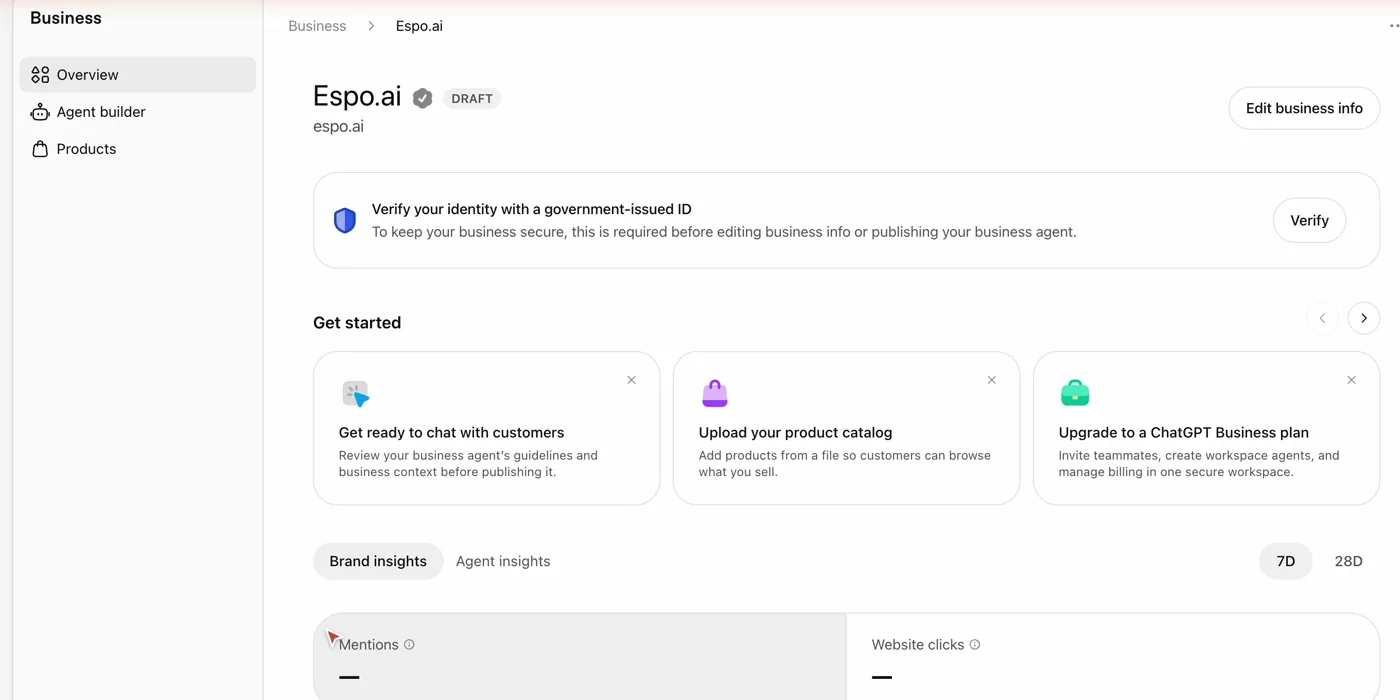
- The ID check is next. It's identity verification with a government ID (OpenAI uses Persona). It's what unlocks editing your info, insights and the business agent. I'm doing mine off camera.
- Heads up: approval publishes it. OpenAI's help page says that for a new profile, approval publishes it, with no separate publishing step. Get your details right before you finish the ID check.
- After that, you can edit more, like your logo, cover photo and links. None of those were in the create flow.
- Insights: mentions, website clicks and the top topics you came up in, over the last 7 or 28 days. For an online business, a mention counts only when ChatGPT cites your website; your name alone doesn't count. For a local business, like an office, it counts when ChatGPT shows a result for that location. You never see anyone's individual chats. Mine shows no data yet.
- Ad credit: the finish screen offered ad credit for ChatGPT Ads ($500 on mine). That's advertising, not your listing. I'm skipping it for now.
The business agent
After the ID check, eligible businesses can build a business agent: a chat inside ChatGPT that answers questions about you. OpenAI's help page says it's for eligible ecommerce and online service businesses in the U.S.
The rules in OpenAI's Business Agents Policy are strict:
- It has to say it's AI.
- No made-up prices, credentials, reviews or results.
- No pressure and no false urgency.
- No advice that legally needs a professional license.
- You're on the hook for everything it says.
Today it can't book, buy or check an order. It explains what you offer and links to your site.
For agents, fair housing applies to it too, the same as anything you write yourself.
I'm not turning mine on yet. Anything that talks for my business gets tested hard first.
Before you claim yours
- Read the terms first, especially section 10.
- Claim your own business. A brokerage office listing is your broker's to claim.
- Write your description before you open Business Hub, under 300 characters and fair housing safe.
- Have your domain login open if you'll verify with your website, and add the record the moment you see it.
- Never hit Back in the middle of the form.
- Do the ID check last, once every detail is right, because approval publishes it.
Know a business owner who hasn't done this yet? Send them this page.
Keep learning
Your listing points to your website, and insights only count a mention for an online business when ChatGPT cites that website. To make your site easier for AI to read, see How to Make a Real Estate Website Easier to Find in ChatGPT and AI Search.
Sources: OpenAI's "Introducing Businesses in ChatGPT" announcement (November 10, 2026), the OpenAI Help Center's "Setting up your business on ChatGPT" page, the Businesses in ChatGPT Terms (updated November 9, 2026) and the Business Agents Policy (updated November 10, 2026), checked November 11, 2026, plus Espo's own claim that day.
Get the claim checklist
My claim checklist is in my Skool community: every step and every trap, in order.
Join Real Estate AI for Agents, my community on Skool. That's where you'll find all my downloads and, more importantly, me.