Book the first call
Bring the listings, CRM, and follow-up you already run. We map this feature against that work.
The everyday CRM structure agents need to keep follow-up clean.
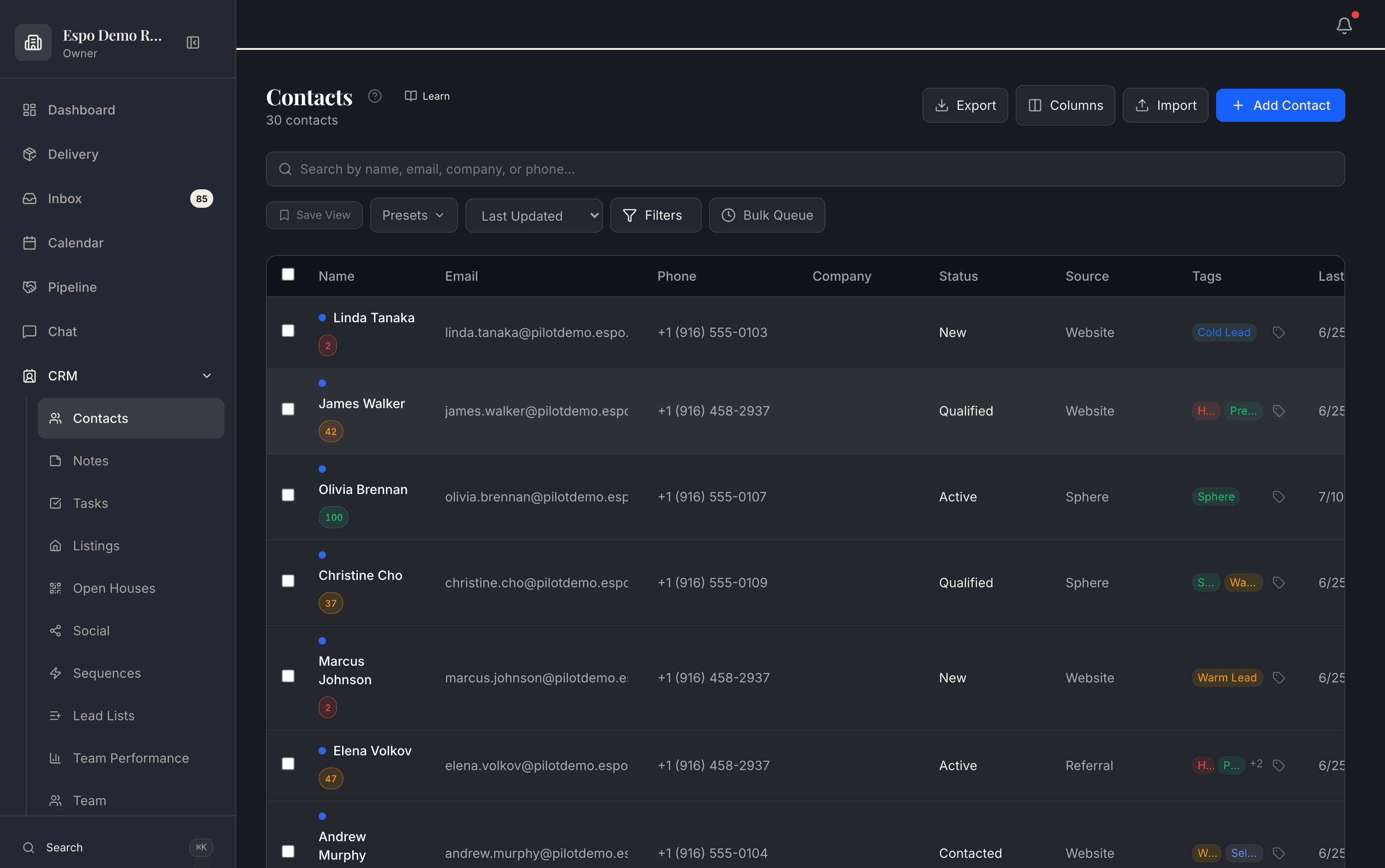
Real product, demo data. The walkthrough video for this feature is being filmed — every feature is getting one.
A lead says “circle back after graduation” and the team needs that context to survive months of follow-up.
The assistant can read and update the structure, so the CRM stays useful instead of becoming a stale database.
How it works
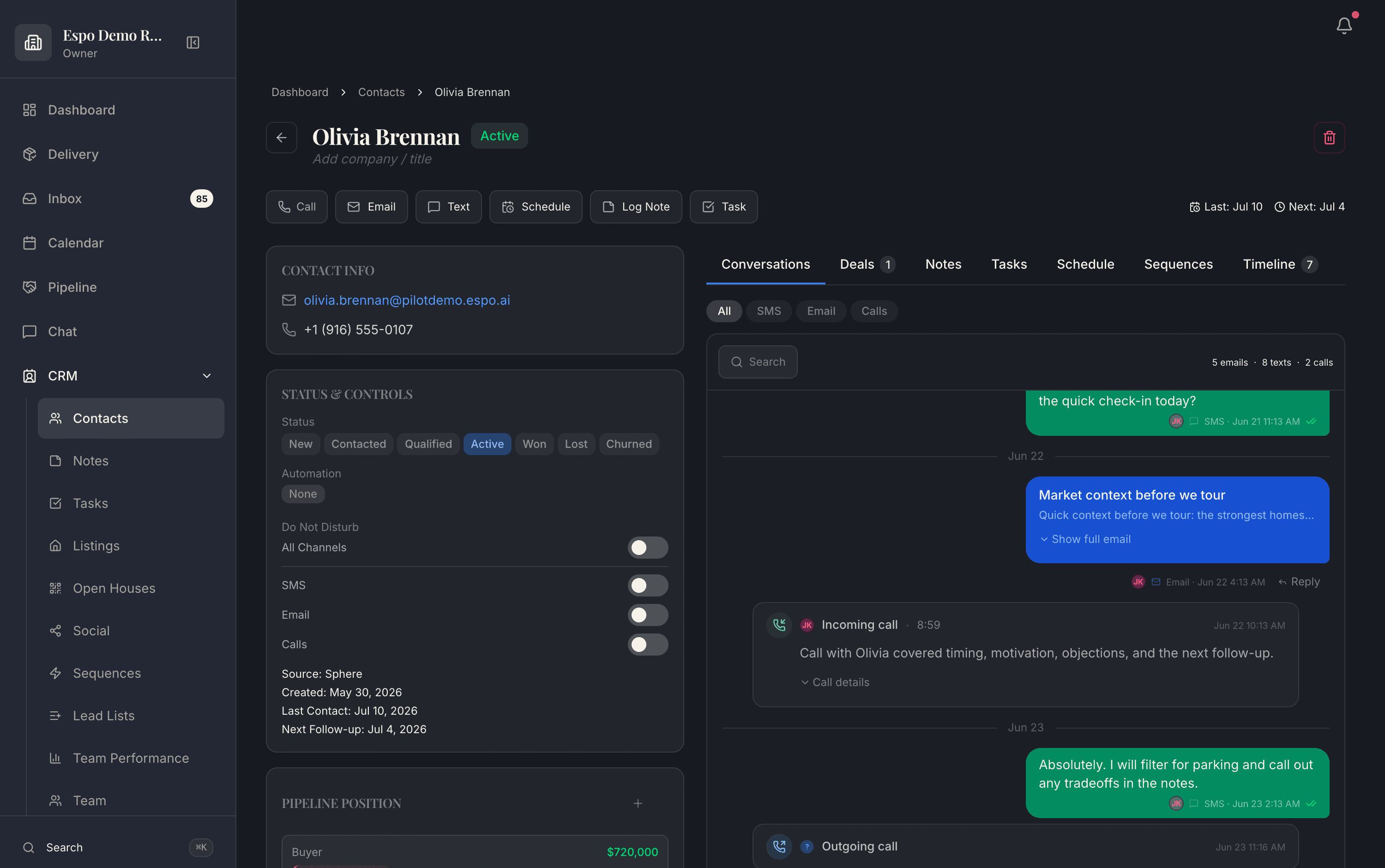
Status, tags, source, next follow-up, do-not-disturb — all first-class fields on the contact, next to the full conversation history. Context stops living in an agent’s head.
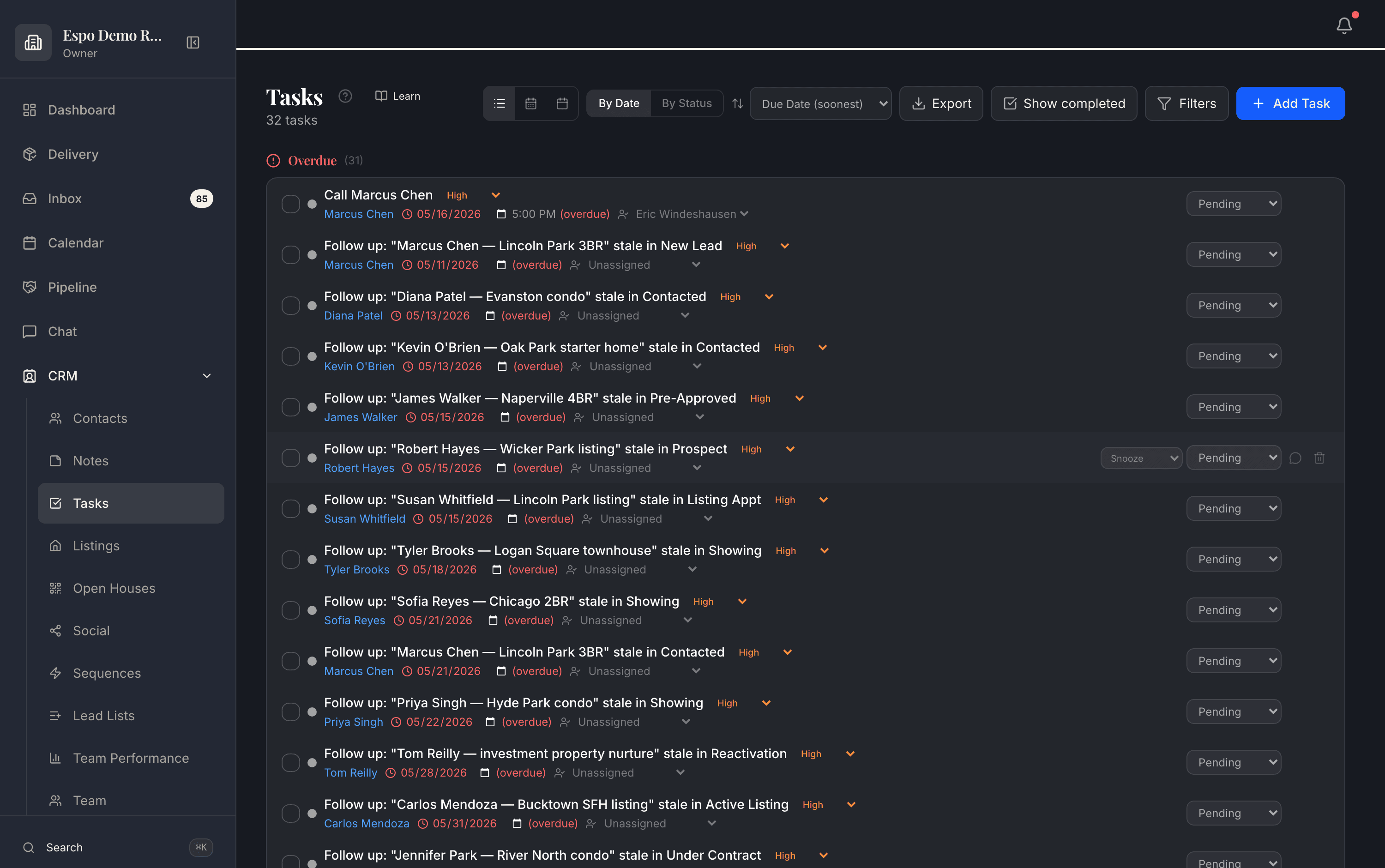
Follow-ups are generated against real deals — “Marcus Chen — Lincoln Park 3BR stale in New Lead” — with due dates, owners, and an overdue queue that makes slippage impossible to miss.
Four months later, “circle back after graduation” is still there — the tag, the task, the note, and who wrote them. That is what makes month-four follow-up feel like you remembered.
Real product screenshots from a demo workspace — not mockups.
Common questions
Because follow-up dies without it. “Circle back after graduation” only happens if the tag, the task, and the note survive four months — this is the structure that makes month-four follow-up feel like you remembered.
Mostly the assistant. Tell it what happened and it writes the note, sets the tag, creates the task. That’s the difference between a CRM that stays current and one that decays into a stale database.
Yes — custom tags and lead types are yours to define, and saved views let you slice the database by any combination (hot buyers in one neighborhood, past clients due for a check-in).
Every record carries its full activity history — who changed what, what was sent, what the assistant did and who approved it.
Thirty minutes with the founders, no deck. We walk this feature — and the rest of the engine — against your actual listings and pipeline.
Bring the listings, CRM, and follow-up you already run. We map this feature against that work.
Each page describes what is live today, what it needs, and which plan includes it.
Add only the jobs you need now. The rest of the catalog stays available.