Book the first call
Bring the listings, CRM, and follow-up you already run. We map this feature against that work.
Pipelines, deals, tasks, tags, conversations, and activity history built around how agents actually work.
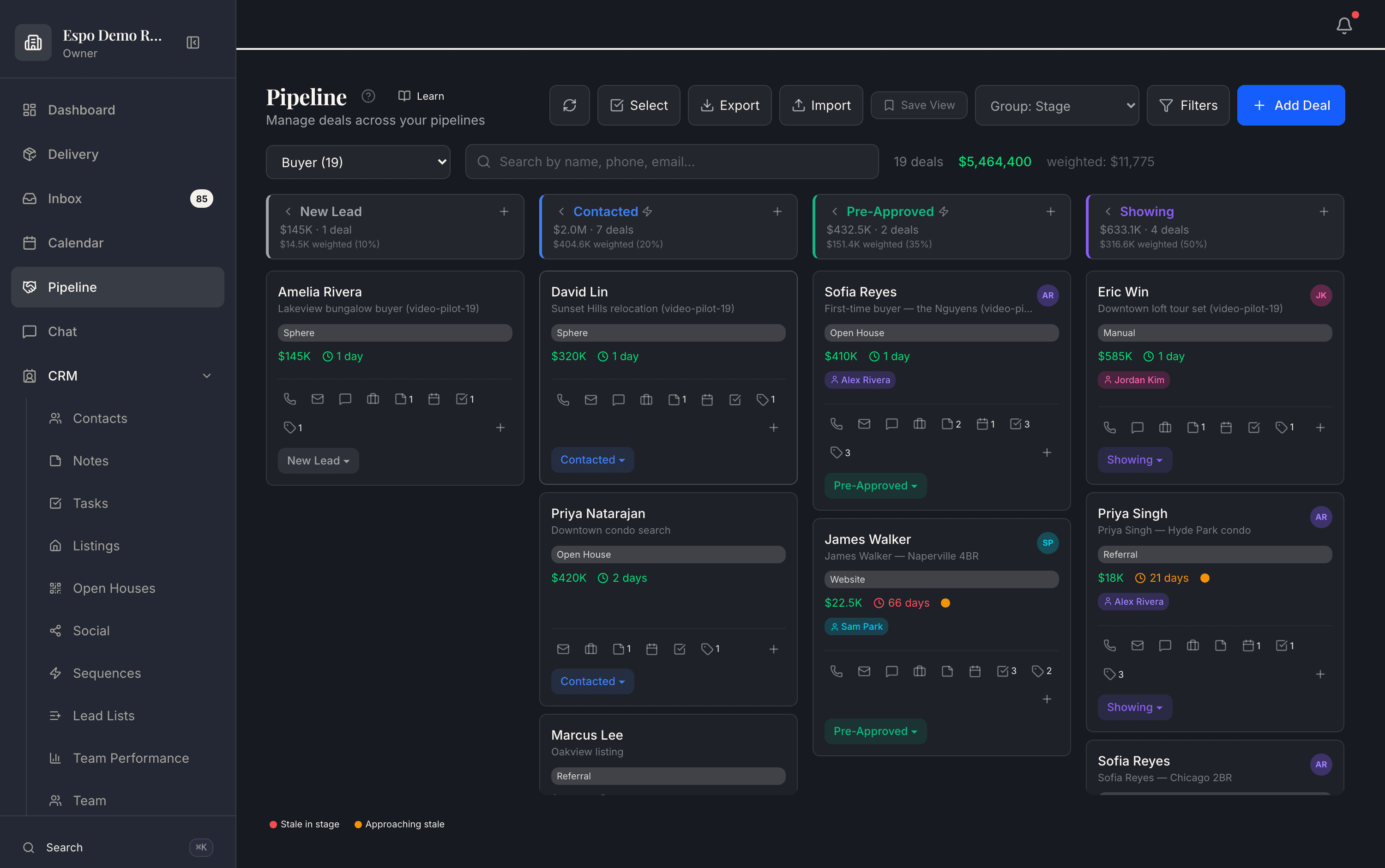
A live buyer pipeline in a demo workspace — stage totals, weighted values, and stale-deal flags at a glance. The walkthrough video for this feature is being filmed — every feature is getting one.
Agents need one place to see what is happening and what has to happen next.
The CRM is the assistant’s work layer, so voice and text commands can operate the actual record instead of only drafting copy.
How it works
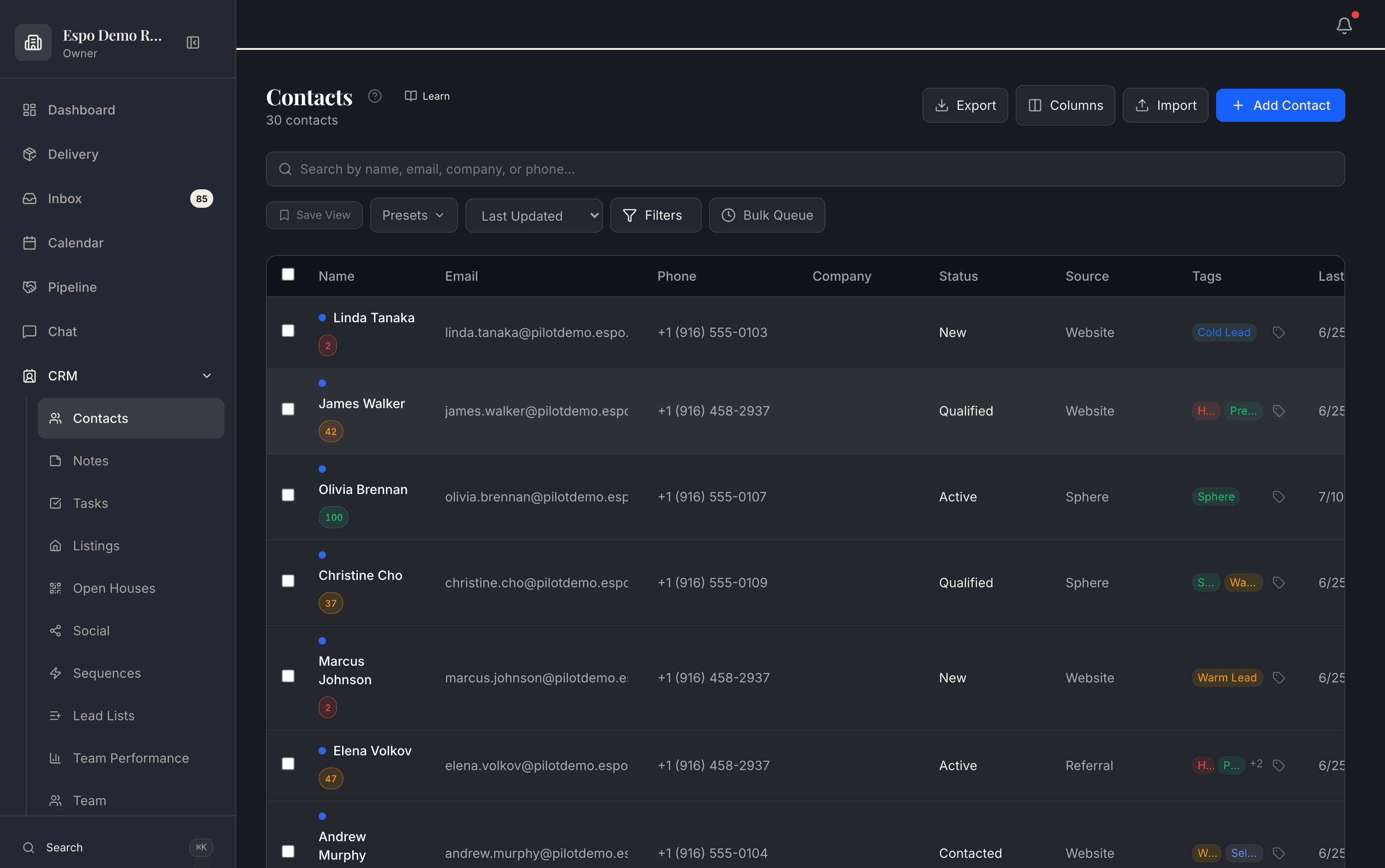
Website forms, IDX capture, open-house sign-ins, ads, and referrals all write into the same contact list — with lead scores, statuses, and sources visible on every row. No copy-paste, no “where did this one come from?”
Deals move through real stages — New Lead, Contacted, Pre-Approved, Showing — with per-stage totals, weighted values, and stale-deal flags that surface who is quietly going cold before they are gone for good.
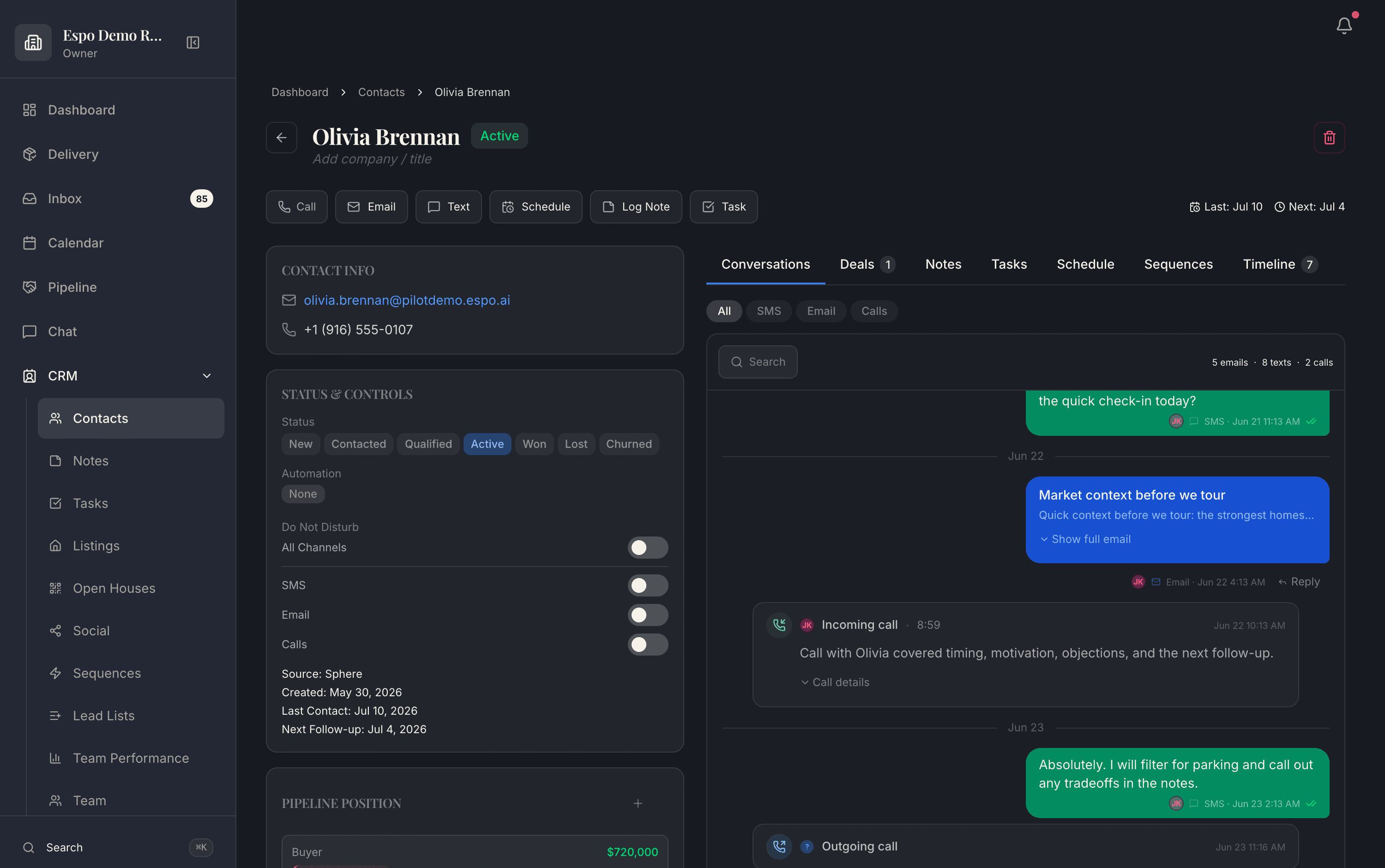
Open a contact and everything is there: every email, text, and call in one thread, deal position and value, per-channel do-not-disturb controls, and the next follow-up date. No tab-hopping to reconstruct a relationship.
Tell it what happened — it writes the note, sets the tag, creates the task, moves the deal. That is why this CRM stays current where the last one went stale.
Real product screenshots from a demo workspace — not mockups.
Common questions
No — the objects are real-estate-native: buyer, seller, listing, past-client, and recruiting pipelines, deals tied to properties, open-house capture, and listing attribution. The stages match how a deal actually moves, not a generic sales funnel.
Website forms, IDX capture, open-house QR sign-ins, Facebook lead ads, and inbound calls and texts all write to the same record automatically, with the source tracked. Imports handle your existing database.
It is the assistant’s work surface. Because the AI operates these exact records — moving deals, creating tasks, drafting messages — the CRM stays current without agents doing data entry, which is why it actually gets used.
Yes. Growth Partner includes up to 10 seats with per-agent ownership, lead routing, and team-level visibility; Espo Pro covers a solo producer. Every action lands in the activity history, so accountability is built in.
Your contacts, deals, messages, and history are yours — export within 48 hours, month-to-month plans, no retention games.
Thirty minutes with the founders, no deck. We walk this feature — and the rest of the engine — against your actual listings and pipeline.
Bring the listings, CRM, and follow-up you already run. We map this feature against that work.
Each page describes what is live today, what it needs, and which plan includes it.
Add only the jobs you need now. The rest of the catalog stays available.