Book the first call
Bring the listings, CRM, and follow-up you already run. We map this feature against that work.
Dedicated communication lines that keep calls and texts tied to the contact record.
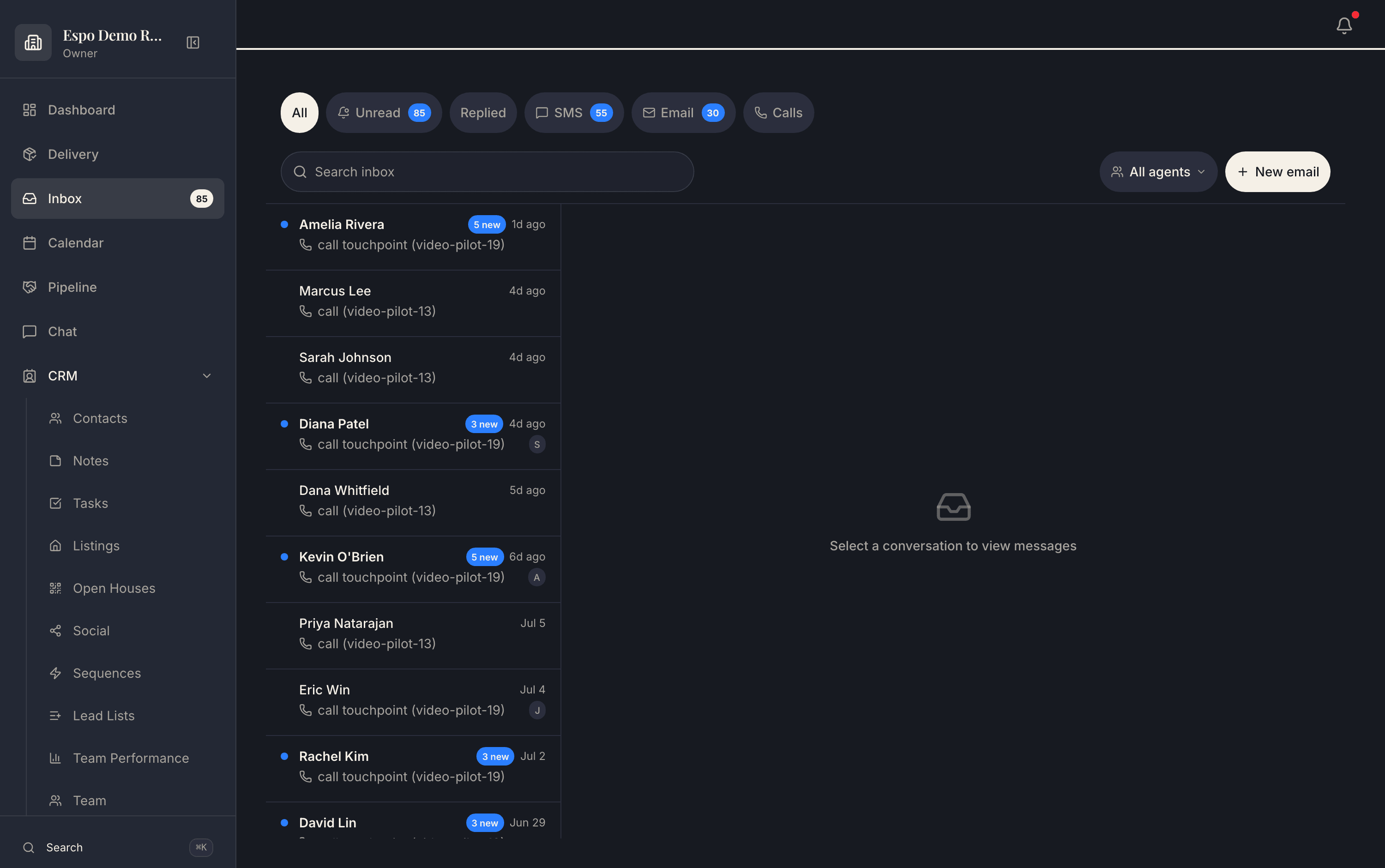
Calls, texts, and email in one inbox — every conversation on the contact record. The walkthrough video for this feature is being filmed — every feature is getting one.
A team needs follow-up and coaching data without agents using scattered personal threads.
Every communication becomes searchable context for the assistant and the team.
How it works
Texts, emails, and calls flow into a single unified inbox — filter by channel or agent, and nothing hides in a personal phone thread the team can’t see.
Open a contact and the entire relationship reads as one thread — texts, emails, and call summaries interleaved in order, with per-channel do-not-disturb switches right beside it.
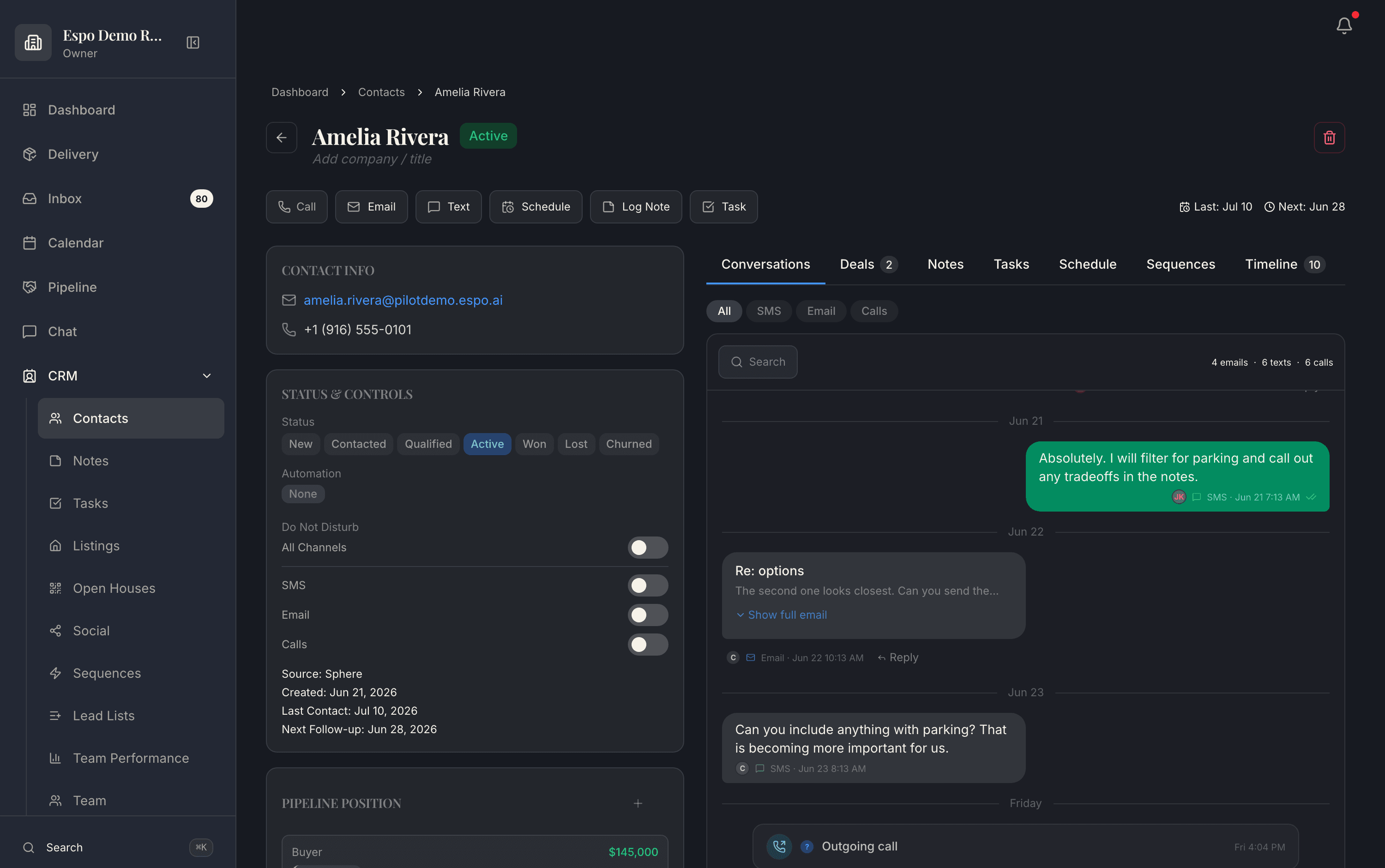
When a call ends, the recording is transcribed and summarized automatically with the next step captured — the context survives even when the agent is already driving to the next showing.
Real product screenshots from a demo workspace — not mockups.
Common questions
Yes — a dedicated business line per agent (1 with Espo Pro, up to 10 on Growth Partner). Your personal cell stays private, and every call and text through the line lands on the contact record.
The recording is transcribed and summarized automatically, with the next step captured — so the context survives even when the agent is already driving to the next showing.
Yes — two-way SMS threads live in the unified inbox next to email and calls, and the assistant can draft replies from the contact’s history (draft-first, always your approval).
Numbers are provisioned with carrier registration handled per client — the A2P registration work that keeps business texting deliverable and legitimate is part of the setup, not your homework.
Thirty minutes with the founders, no deck. We walk this feature — and the rest of the engine — against your actual listings and pipeline.
Bring the listings, CRM, and follow-up you already run. We map this feature against that work.
Each page describes what is live today, what it needs, and which plan includes it.
Add only the jobs you need now. The rest of the catalog stays available.