Book the first call
Bring the listings, CRM, and follow-up you already run. We map this feature against that work.
The assistant writes in context but waits for approval before anything goes out.
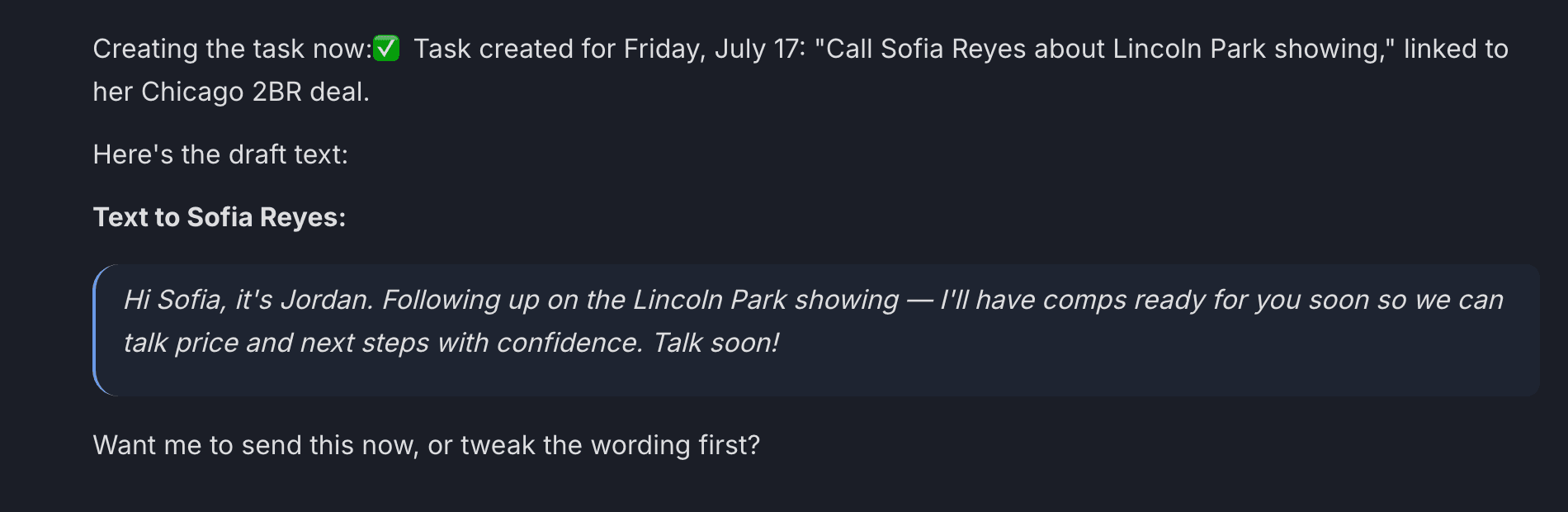
“Want me to send this now, or tweak the wording first?” — the guardrail, live. The walkthrough video for this feature is being filmed — every feature is getting one.
A lead needs a fast, personal response, but agents still need control over the final message.
You get speed without turning your database into an unsupervised auto-blast machine.
How it works
The assistant pulls the contact, checks do-not-disturb on every channel, and untangles which deal you mean — here it found two active deals and picked the showing-related one, out loud.
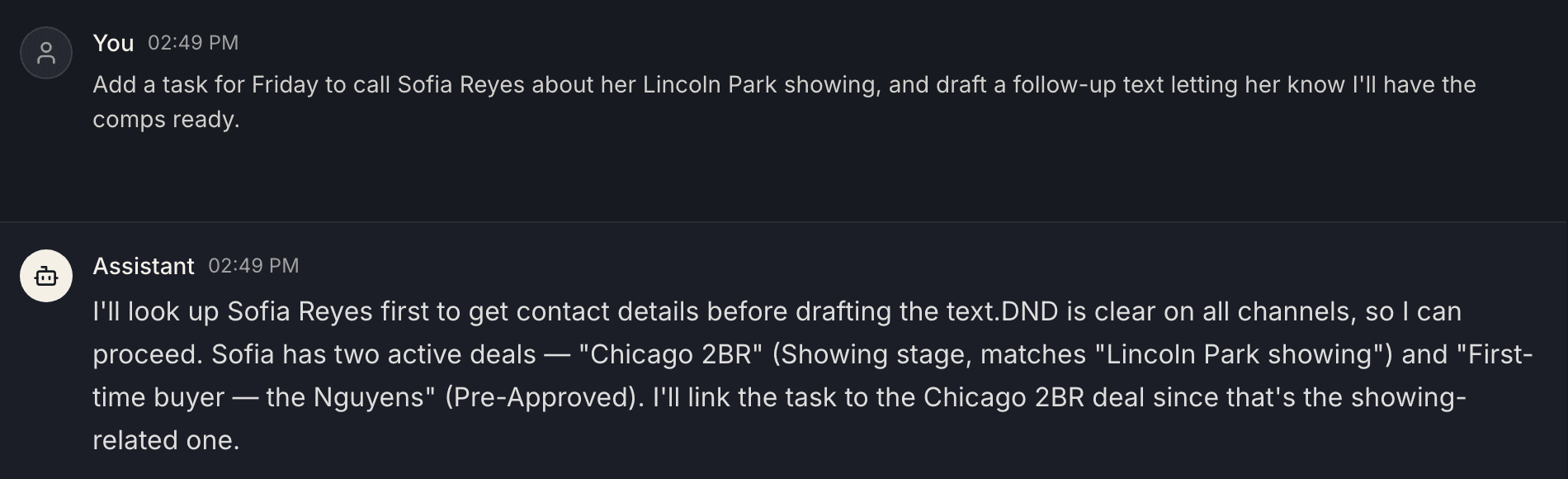
It writes in context from the contact’s real history, shows you the message, and asks. Nothing reaches a client until you say so.
The send lands in the conversation thread, and the draft, your approval, and the delivery all live in the contact’s activity history — so a team lead can always see what went out and who OK’d it.
Real product screenshots from a demo workspace — not mockups.
Common questions
The assistant writes the email or text using the contact’s actual history, then shows it to you and waits. Nothing reaches a client until you approve it — speed without an unsupervised auto-blast machine.
Do-not-disturb flags on the contact, quiet hours, and channel preferences. If a contact shouldn’t be texted, it says so instead of drafting the text.
Yes — the draft, your approval, and the send are all logged in the contact’s activity history, so a team lead can always see what went out and who OK’d it.
Of course. Tweak a line yourself or tell the assistant what to change — “warmer, and mention the Saturday open house” — and it revises before sending.
Thirty minutes with the founders, no deck. We walk this feature — and the rest of the engine — against your actual listings and pipeline.
Bring the listings, CRM, and follow-up you already run. We map this feature against that work.
Each page describes what is live today, what it needs, and which plan includes it.
Add only the jobs you need now. The rest of the catalog stays available.