Book the first call
Bring the listings, CRM, and follow-up you already run. We map this feature against that work.
A property QR flow that turns open-house traffic into tracked contacts and follow-up.
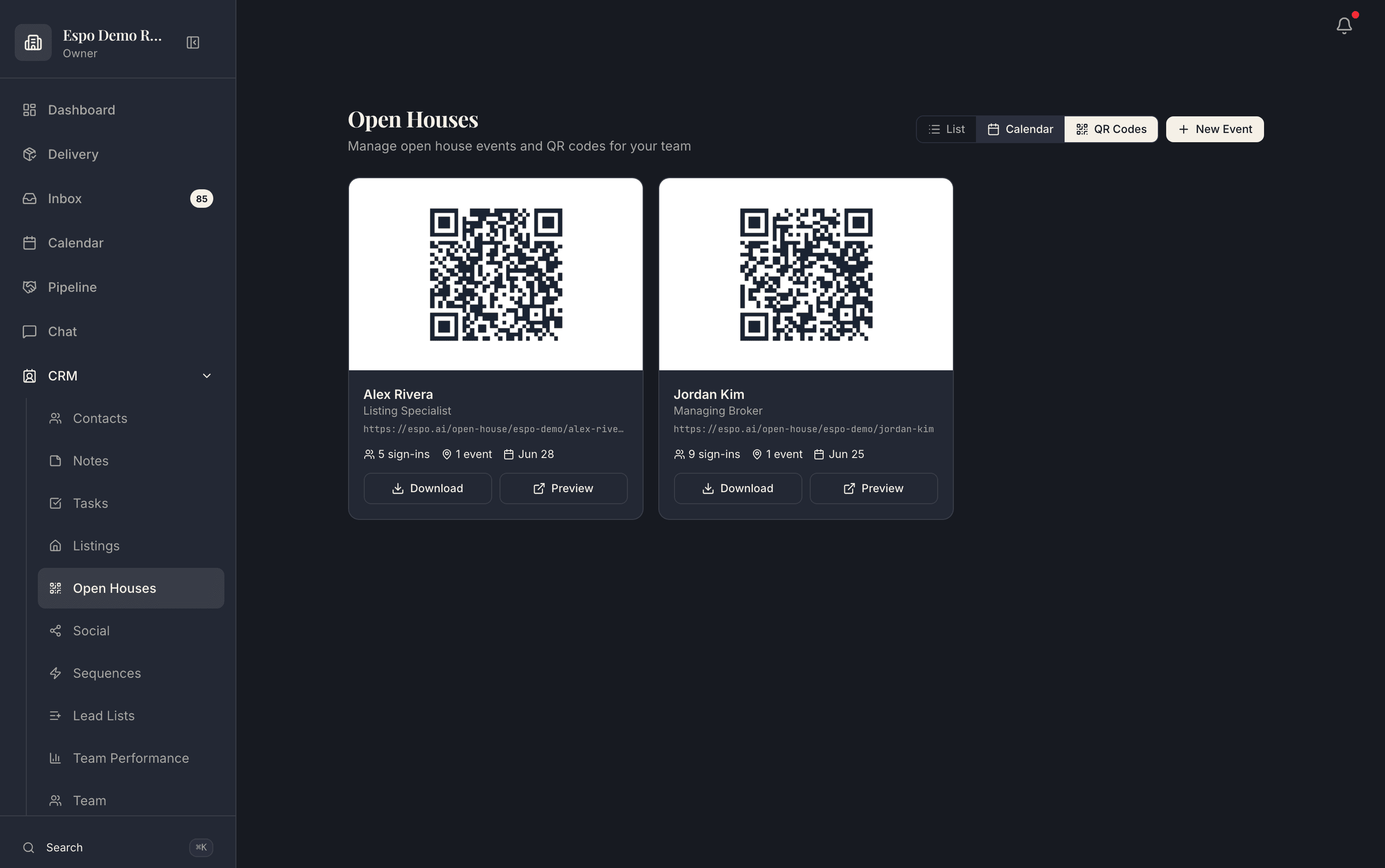
Each agent’s QR code with its live sign-in count — print it, prop it by the door, done. The walkthrough video for this feature is being filmed — every feature is getting one.
A busy open house should create searchable contacts, not a pile of handwritten names.
Open-house capture is connected to the listing page, campaign, CRM, and agent record.
How it works
Every agent and event gets its own code, generated with the listing. Download it, print it, or pull it up on an iPad by the door — sign-ins credit the hosting agent automatically.
Scan, fill in, done — about fifteen seconds. No app to install, no clipboard, no deciphering handwriting on Monday. Anti-spam checks keep bot and junk entries out of your database.
Each visitor becomes a CRM contact tagged to that property and that event, with the hosting agent as owner. The event view shows exactly how many people came through each door.
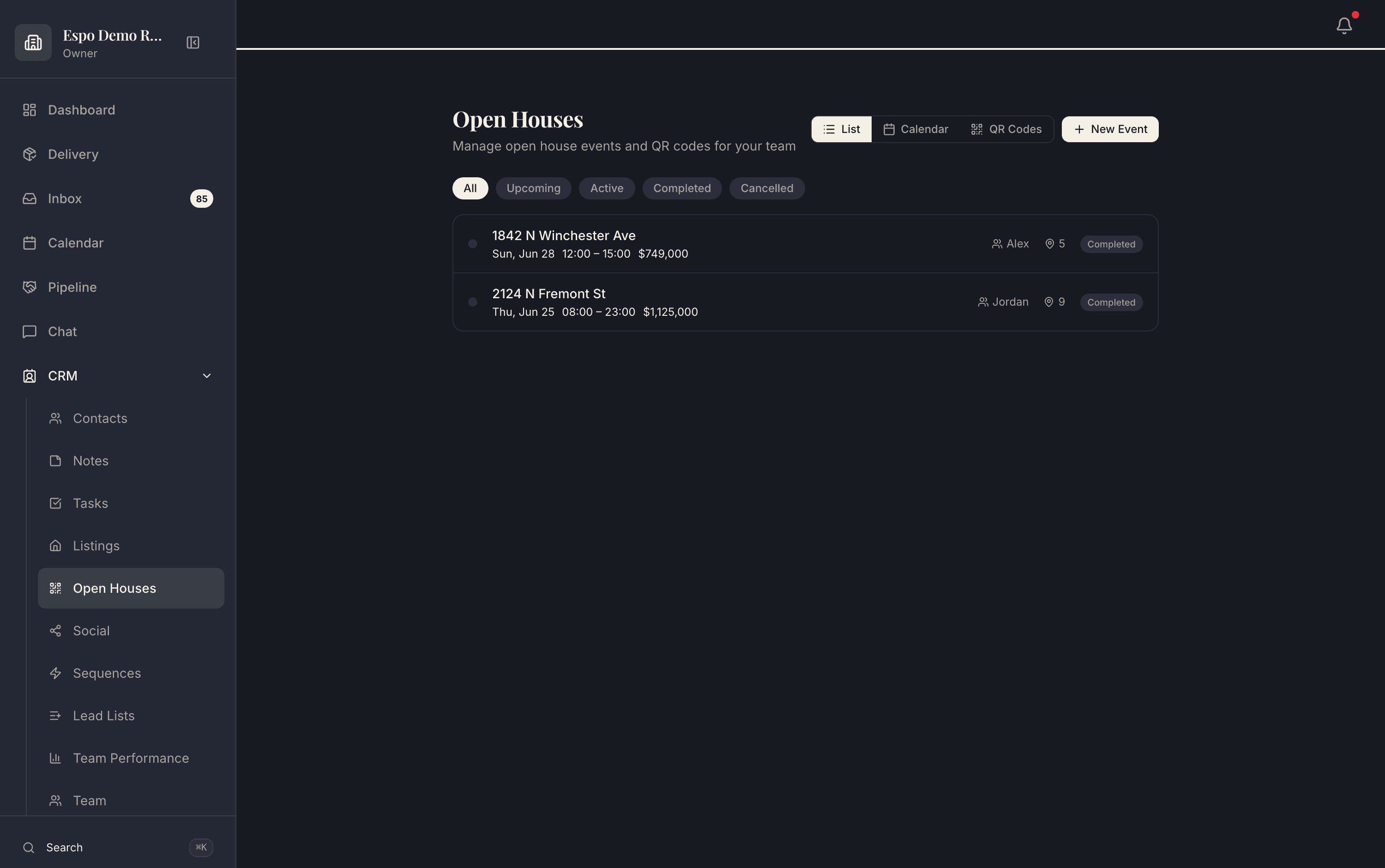
The automatic email goes out on sign-in, and on Pro and Growth Partner richer SMS follow-up takes over from there — while the visit is still fresh in the buyer’s mind.
Real product screenshots from a demo workspace — not mockups.
Common questions
The capture is wired to the listing. Visitors are tagged to the property and the event, the hosting agent owns them, and the source survives into every report — so “open house at Fremont St” stays attached to the contact forever.
A clean sign-in form on their own phone after scanning the property’s QR code. About fifteen seconds, no app install. Anti-spam checks run behind the scenes.
Numbers instead of vibes. You can tell them exactly how many people signed in and what happened next — which beats “it went great” at the follow-up conversation, and becomes proof for your next listing pitch.
Yes — every agent gets their own QR code with its own sign-in count, so a team can split events and each sign-in still credits the right host.
Thirty minutes with the founders, no deck. We walk this feature — and the rest of the engine — against your actual listings and pipeline.
Bring the listings, CRM, and follow-up you already run. We map this feature against that work.
Each page describes what is live today, what it needs, and which plan includes it.
Add only the jobs you need now. The rest of the catalog stays available.